If you’re just getting started or need a quick refresher, here are the biggest points to remember about SEO for ecommerce.
Key Takeaways
- Start with keyword research to figure out what people want to buy.
- Keep your site structure simple so shoppers and Google can find everything.
- Make each product page clear, useful, and unique.
- Check your site speed and fix technical problems often.
- Build trust with good links and stay active on social media.
Understanding the Core of Ecommerce SEO
What Exactly Is SEO for Ecommerce?
So, what are we even talking about when we say "SEO for ecommerce"? Basically, it’s all about making your online shop super easy for people to find when they’re searching on Google or other search engines. Think of it as making your digital storefront as visible as a brightly lit shop on a busy street. We’re not just talking about getting more eyeballs on your site; we’re aiming to get the right eyeballs – the ones that are actually looking to buy what you sell. It’s different from regular SEO because we’re laser-focused on getting your product pages and category pages to rank well, which then helps turn those clicks into actual sales. It’s a big deal because a huge chunk of online shopping, like 37.5% according to some stats, starts with a simple search. If you’re not showing up there, you’re pretty much invisible to a massive number of potential customers.
Why Your Online Store Can't Afford to Ignore SEO
Honestly, if you’ve got an online store, ignoring SEO in 2026 is like opening a physical shop and then refusing to put up a sign. It just doesn’t make sense. The online marketplace is packed, and competition is fierce. Having a great product is only half the battle; people need to be able to find you first. SEO is what bridges that gap. It’s how we get noticed amidst the noise and drive traffic that’s actually interested in what we’re selling. Without it, you’re relying purely on luck or expensive ads, which isn’t a sustainable way to grow. We need to think about SEO not as an optional extra, but as a core part of our business strategy.
The Crucial Role of SEO in Driving Conversions
This is where it all comes together. SEO isn’t just about getting clicks; it’s about getting buying clicks. We want people who search for "red running shoes size 9" to land on our product page for red running shoes in size 9, not some random blog post about shoe care. That’s the difference between a visitor and a customer. When we get our targeting right, the traffic we bring in is already warm – they know what they want. Our job is to make sure their journey from search result to checkout is as smooth as possible. The better our SEO, the more likely those visitors are to become paying customers.
Here’s a quick look at how different types of searches can lead to sales:
- Transactional Searches: These are people ready to buy. They use terms like "buy [product name]" or "discount [product category]". These are gold for product pages.
- Commercial Investigation Searches: These shoppers are comparing options. They might search for "best [product type] reviews" or "[brand A] vs [brand B]". Content like comparison guides or detailed reviews works well here.
- Informational Searches: While not directly buying, these users are learning. Terms like "how to choose a [product type]" can be used to attract them with helpful content, like blog posts, and then guide them towards your products.
Getting these searchers to your site through smart SEO means you’re attracting people who are already thinking about making a purchase, making your conversion efforts much more effective.
Building Your Foundation: Keyword Research and Site Structure
When we’re setting up an ecommerce store, we can’t just throw up categories and hope for the best. The secret sauce is in understanding what our customers are looking for, making it obvious where everything is, and lining up our keywords with how people actually shop online.
Uncovering What Your Customers Are Searching For
Let’s be real: most of us think we know exactly what our customers type into Google, but more often than not, we’re off the mark. Keyword research helps us figure out what people are really searching for. Here’s how we get started:
- Write down a few obvious phrases related to your products. No fancy tools yet – just what comes to mind.
- Plug those into free tools like Google Keyword Planner or Ubersuggest.
- Look for patterns: Are folks searching for “organic dog food” or “grain-free puppy chow”? The difference matters.
- Pay attention to the numbers: Don’t just go for big search volume – sometimes, those more specific, low-volume phrases bring in more buyers.
Keyword research is really about listening to what your customer wants, not what you think they want.
A quick look at the types of keywords we might find:
| Keyword Type | Example | Stage of Customer Journey |
|---|---|---|
| Short-tail Keyword | tennis shoes | Early, general research |
| Long-tail Keyword | women’s waterproof running shoes size 9 | Ready to buy, high intent |
| Question Keyword | Are running shoes good for walking? | Research and comparison |
The terms your ideal customers use might surprise you. The words you use in meetings aren’t always the ones buyers use in real searches!
Matching Keywords to Buyer Intent
Not all keywords are equal – some folks are just poking around for info, while others are ready to hit "+ Add to Cart" right away. We’ve got to match what we target to what people are actually after.
Think about these different intents:
- Informational: Searching for answers or tips ("How to wash cashmere sweaters").
- Navigational: Looking for a specific brand or store ("GiantSocks website").
- Transactional: Ready to spend ("buy vegan belts online").
Focus our product and category pages on transactional keywords. For our blog or guides, we can target informational ones. Mixing up the two on the wrong pages can confuse both Google and shoppers.
Crafting an Intuitive Site Hierarchy
Imagine walking into a store and not knowing where anything is. Online, messy site structures are even worse. A solid hierarchy helps both search engines and people.
Here’s what we aim for:
- Simple, logical categories: Keep it tidy – "Men > Shoes > Sneakers" works way better than dumping everything into one big bucket.
- Clear paths from homepage to product: Every product should be 3-4 clicks max from the homepage.
- Consistent URLs and navigation: Changing labels and links mid-way just feels clunky.
For example, here’s how an organized structure might look for our mock fashion site:
| Main Category | Subcategory | Example URL Path |
|---|---|---|
| Men’s Clothing | T-Shirts | /mens/tops/t-shirts/ |
| Women’s Clothing | Evening Dresses | /womens/dresses/evening/ |
| Accessories | Backpacks | /accessories/bags/backpacks/ |
- Keep categories broad, but not too broad. If we have loads of products, use subcategories.
- Use keywords in category and product names (but don’t overdo it).
- Make navigation menus easy to use on mobile. People tap, not click.
A clean site structure keeps people happy and helps our products get found. That’s double the win.
To wrap up: getting these basics right saves us headaches later, seriously boosts SEO, and just makes our store nicer to use for everyone. No one wants to hunt for things or read strange product titles. We keep it clear and focused from the start, and we’re halfway to beating the competition.
Optimizing Your Product Pages and Content
This is where we roll up our sleeves and turn our products into SEO magnets. Getting our pages visible in Google is a big deal, but making sure they actually help folks buy? That’s next level. If our product pages are just bland or look like everyone else’s, buyers have no reason to stick around. Let’s break down how we actually make these pages shine.
Making Product Pages Shine for Search Engines
We’ve all landed on those boring product pages with stiff, copy-pasted descriptions. We can’t let that be us. Here’s our game plan:
- Write unique, benefit-focused descriptions for every product. No copying from the manufacturer, because duplicate content can hurt our rankings.
- Use specific keywords naturally in the page title, description, and even image file names. Don’t stuff – just make it make sense when you read it out loud.
- Add crystal-clear, high-quality product images with accurate alt text. This way, people on Google Images can actually find our stuff, and folks using screen readers aren’t left out.
- Share key details – think dimensions, materials, available colors, or anything shoppers might care about before buying.
- Don’t forget technical bits like meta titles and meta descriptions. These are what show up in the search results, so they need to pop.
A product page should feel like a helpful sales assistant – not a generic warehouse list. Our goal is to answer questions and encourage action.
Leveraging Content Hubs and Blog Posts
Sometimes, buyers aren’t ready to buy yet. They’re looking for info, comparisons, or maybe some inspiration. This is where a blog or content hub steps in and does real work:
- Answer common questions with helpful guides (e.g., “How do I choose the right running shoe?”)
- Compare product features in honest roundups.
- Spotlight trends related to what we sell, and link naturally to our product pages.
- Use internal links to guide visitors from blog posts to the relevant products. It keeps them on our site and boosts those pages in Google’s eyes.
Here’s a simple table with content ideas and what they can link to:
| Blog Topic | Internal Product Links |
|---|---|
| "The Best Hiking Backpacks" | Feature top-selling backpacks |
| "Cooking with Cast Iron" | Link to cast iron skillets |
| "Camera Gear for Beginners" | Link to entry-level cameras |
Quality content answers questions, builds trust, and gently points real people to our shelves.
The Power of User-Generated Content
Nothing we say about our products will ever matter as much as what real users have to say. User-generated content (UGC) is huge for two reasons: it keeps our content fresh, and it builds confidence in buyers.
- Encourage reviews and ratings on every product page – bonus if customers add photos or short videos.
- Feature Q&A sections so buyers can ask and answer questions for each product.
- Highlight customer stories in a blog section or a photo gallery.
If we want our product pages to win out there, we want:
- Regular reviews showing up
- Photos from real users
- Responses to questions so new buyers know we listen
Some of our most convincing sales copy comes straight from real people, not our marketing team.
In short, making our product pages strong for SEO is about more than keywords – it’s about making every page feel honest, helpful, and alive with real voices. That’s how we stay competitive in 2026 and get those conversions rolling.
Mastering Technical SEO for Online Stores
Alright, let’s get into the not-so-glamorous, but absolutely necessary part of running an ecommerce site: technical SEO. If you’ve ever wondered why your store isn’t showing up as high as you hoped in search results, this is probably where the problem (and the fix!) lives. Technical SEO is the behind-the-scenes work that makes sure search engines – and your shoppers – can access, crawl, and use your site without running into walls.
Ensuring Your Site is Fast and Mobile-Friendly
You’re probably shopping on your phone as much as anyone else, right? So, if your site isn’t quick and looking sharp on mobile, you’re missing out. Loading speed and mobile usability have a big impact not just on rankings, but on whether people actually stick around long enough to buy something.
Here’s what we focus on:
- Compressing images so they don’t drag down load times
- Minimizing code, like CSS and JavaScript files
- Using browser caching for repeat visits
- Testing responsive layouts on real phones, not just emulators
A simple tweak – like swapping out a huge banner image for something half the size – can turn a laggy page into one that loads in a snap, keeping shoppers happy (and on your site).
Tackling Duplicate Content Challenges
Duplicate content is a sneaky problem for any store, especially when you have tons of very similar product descriptions or options. If Google spots a bunch of identical (or nearly identical) pages, it sometimes just ignores all of them – or worse, randomly picks one to show.
Here’s how we deal with it:
- Set up canonical tags to tell search engines which page is the original
- Rewrite near-identical descriptions so each one is unique
- Use noindex tags (carefully!) if you have special category filters or thin pages
| Duplicate Issue | How We Fix It |
|---|---|
| Same product, colors | Canonical tags |
| Multiple URLs, same content | URL consolidation |
| Thin product pages | Combine or enrich content |
The Importance of Regular Technical Audits
We get it – running audits sounds super dull. But you don’t want to wait until there’s a massive problem. Running regular technical checks is kind of like getting your oil changed: maybe boring, but so much better than your site breaking down.
Why bother?
- Spot broken links before customers do
- Catch indexing or crawl issues early (so all your products appear in search)
- Identify slow pages and speedy solutions
- Fix mobile usability errors as new devices roll out
Think of technical SEO audits as preventative medicine for your business. If you catch little problems early, you won’t have to scramble when they grow (and they always do).
Technical SEO might not be flashy, but it pretty much keeps the lights on for everything else you do. If you get this right, the rest of your SEO strategy actually pays off.
Building Authority Through Off-Page Strategies
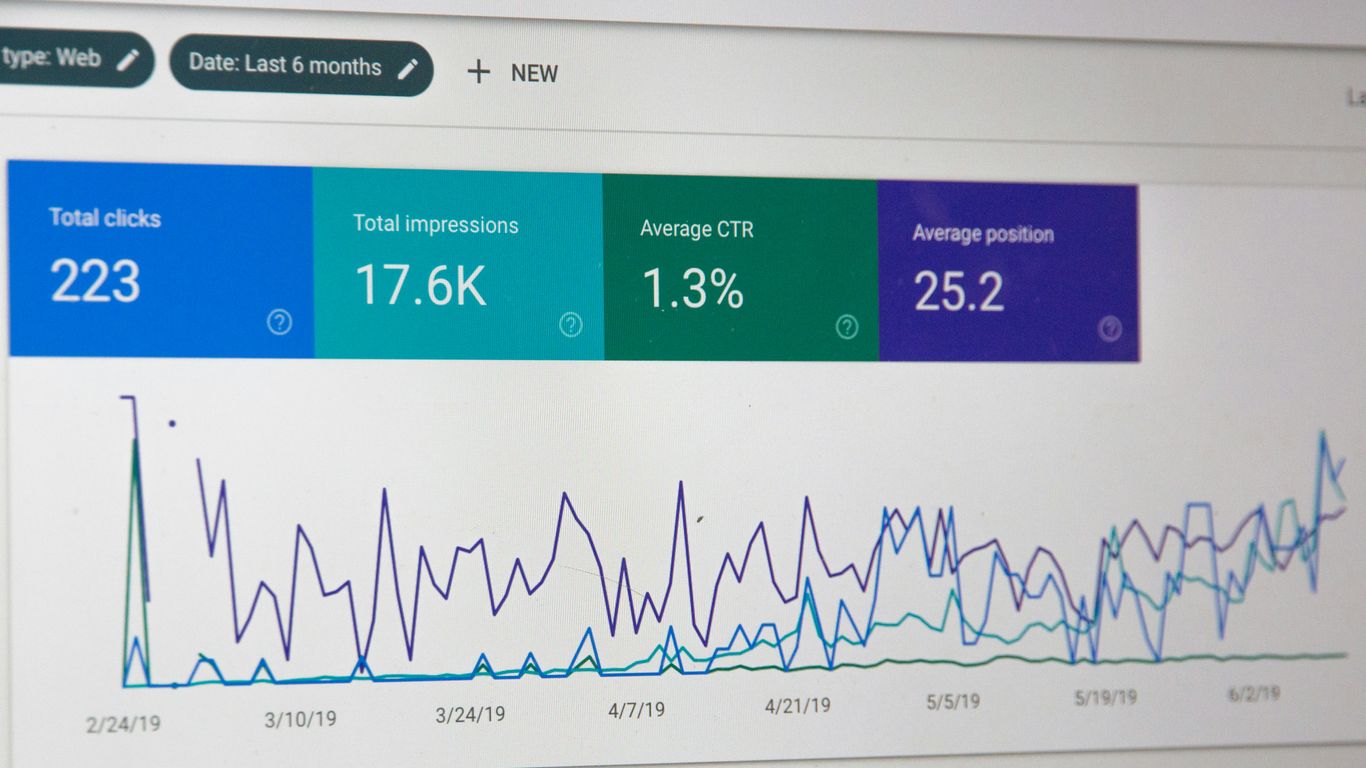
Okay, so we’ve talked a lot about what goes on your website, but what about what happens off it? That’s where building authority comes in, and honestly, it’s a huge part of why people find you in the first place. Think of it like word-of-mouth, but for search engines.
The Art of Ecommerce Link Building
This is all about getting other websites to link back to yours. It’s like getting a recommendation from a trusted friend. The more good sites link to you, the more search engines think, "Hey, this site must be pretty important and trustworthy!" But it’s not just about grabbing any link; we need quality links. A link from a big, respected industry blog is way better than a bunch of random links from spammy sites. We want links that make sense for our business and our customers.
Here are a few ways we can go about this:
- Guest Blogging: We write articles for other relevant websites. It’s a great way to share our knowledge and get a link back to our store.
- Broken Link Building: We find broken links on other sites and suggest our page as a replacement. It’s a win-win!
- Competitor Analysis: We check out who’s linking to our competitors and see if we can get links from those same places.
- Product Roundups: We try to get our products featured in "best of" lists or gift guides on popular blogs.
Remember, buying links is a big no-no. It can seriously hurt your site’s standing with search engines. We always stick to ethical methods.
Leveraging Social Media for Brand Exposure
Social media isn’t just for posting pretty pictures. It’s a powerful tool for getting our brand out there. When people see us on social media, share our content, and talk about us, it signals to search engines that we’re a real, active business. While social links themselves might not directly boost rankings like a regular backlink, the increased visibility and traffic they generate can lead to more people discovering and linking to our site naturally. Plus, it’s a fantastic way to connect with our customers and build a community around our brand.
Boosting Local Visibility for Retailers
If we have a physical store, local SEO is super important. We need to make sure people searching for products in our area can find us. This means getting listed in local directories (like Google Business Profile, Yelp, etc.) and making sure our business information is consistent everywhere. It helps people find our store when they’re nearby and looking for something specific. It’s all about being visible to the right people at the right time.
Measuring Success and Adapting Your Strategy

When it comes to ecommerce SEO, tracking progress and making improvements is where the real magic happens. If we just launch changes and hope for the best, we’re basically guessing. Instead, let’s talk about how we know if our work is helping us hit our goals.
Tracking Performance and Identifying Improvements
To really see if we’re making gains, we need to look beyond how many people visited our store. Here’s what actually matters:
| KPI | What It Tells Us |
|---|---|
| Organic Traffic | Are more shoppers finding us via search? |
| Conversion Rate | Are those visitors actually buying things? |
| Keyword Rankings | Are our products showing up higher where it counts? |
| Bounce Rate | Are people finding what they need, or leaving fast? |
| Average Order Value | Are organic customers spending more each session? |
Most of us get hung up on rankings, but if sales aren’t growing, what’s the point? All this data helps us spot which parts of our store need a tweak or a total overhaul. Sometimes a product page looks fine to us, but bounce rate and conversions say otherwise.
- Start by checking performance every week – not just once a quarter.
- Watch trends, not just peaks and valleys.
- Double-check if a good month is real growth or just holiday traffic.
When something’s not working, the numbers tell the real story – sometimes, a stubborn product page just needs a better description, or maybe our checkout process is a mess.
Addressing Common Ecommerce SEO Hurdles
Every store runs into issues. Here are three we keep seeing:
- Duplicate content confuses search engines and hurts rankings. Consolidate pages, write unique descriptions, and fix technical settings.
- Chasing vanity metrics like traffic spikes looks nice but doesn’t sell more products. Focus on KPIs tied to revenue and conversion.
- Keeping up with constant search updates is a grind. Use quarterly audits to catch technical issues or outdated pages before they become problems.
If we’re honest, there’s never a point where SEO is “done.” There’s always something to tinker with or fix. The most important thing is to keep the system running without burning ourselves out.
The Evolving Landscape: AI's Impact on SEO
AI is pretty much everywhere now. Google’s using it in how it ranks and displays results. Voice search, AI summaries, and visual search are no longer futuristic – they’re pretty standard for buyers using smartphones or smart speakers.
To adapt, we’ve got to:
- Make content clear and helpful (think FAQs, comparisons, and simple answers).
- Structure site data so AI can grab quick info (use schema everywhere).
- Watch for new features (like AI-generated previews in search) and experiment with them before they’re mainstream.
The best plan is to stay flexible and keep learning. Tools, trends, and AI features will change, but our goal is always the same: help customers find us and make a purchase they’re happy with.
So, our SEO routine in 2026 is part detective work, part habit, and a whole lot of trial and error. If we’re tracking, adjusting, and keeping an eye on what’s next, things have a way of working out.
Keep an eye on how your marketing efforts are doing and be ready to change your plan if needed. It’s important to see what’s working and what’s not so you can make your strategy even better. Want to learn more about how to track your success? Visit our website today!
Conclusion
So, that’s our take on SEO for ecommerce in 2026. We know it can feel like a lot to keep up with, but if we break it down step by step, it’s way less scary. We focus on what our customers are searching for, make sure our site is easy to use, and keep our product pages helpful. Technical stuff like fixing broken links and speeding up the site matters, too. And hey, building trust with links and social media helps us get noticed. If we keep tracking our progress and adjust as things change, we’ll keep growing. Let’s not overthink it – just keep moving forward and stay curious!
Frequently Asked Questions
What is SEO for ecommerce?
SEO for ecommerce means making your online store show up higher in search results, so more people find and buy your products.
How do I pick the right keywords for my store?
Think about what words your customers use when they search for products like yours. Tools like Google Keyword Planner can help you find good ones.
Why is my product page not showing up on Google?
It could be too slow, missing important keywords, or have the same info as other pages. Try making your page faster and adding unique details.
How often should I update my online store for SEO?
It’s smart to check your site every month for broken links, slow pages, and new keyword ideas. Small updates can make a big difference.
Can social media help my store's SEO?
Yes! Sharing your products and getting people talking about your store on social media can bring more visitors and sometimes gets you more links.
Will AI change how SEO works for online stores?
Yes, AI is making search smarter. It’s good to write clear, helpful info and keep up with new search trends as things change.
Our Singapore team delivers results-driven SEO services, SEM services, and digital marketing services tailored to your goals. We also specialise in social media marketing and content marketing to drive sustainable growth across every channel.
Our Singapore team delivers SEO services, SEM services, and digital marketing. We also provide social media marketing and content marketing for sustainable growth.

Natasha Tan is the founder of Digital Marketing Singapore, a full-service SEO and digital marketing agency based in Singapore. With hands-on experience across SEO, paid media, and content strategy, she works directly with Singapore businesses to build organic visibility and generate consistent leads. Natasha specialises in the Singapore market — including local search behaviour, PDPA compliance, and government grant navigation for SMEs.