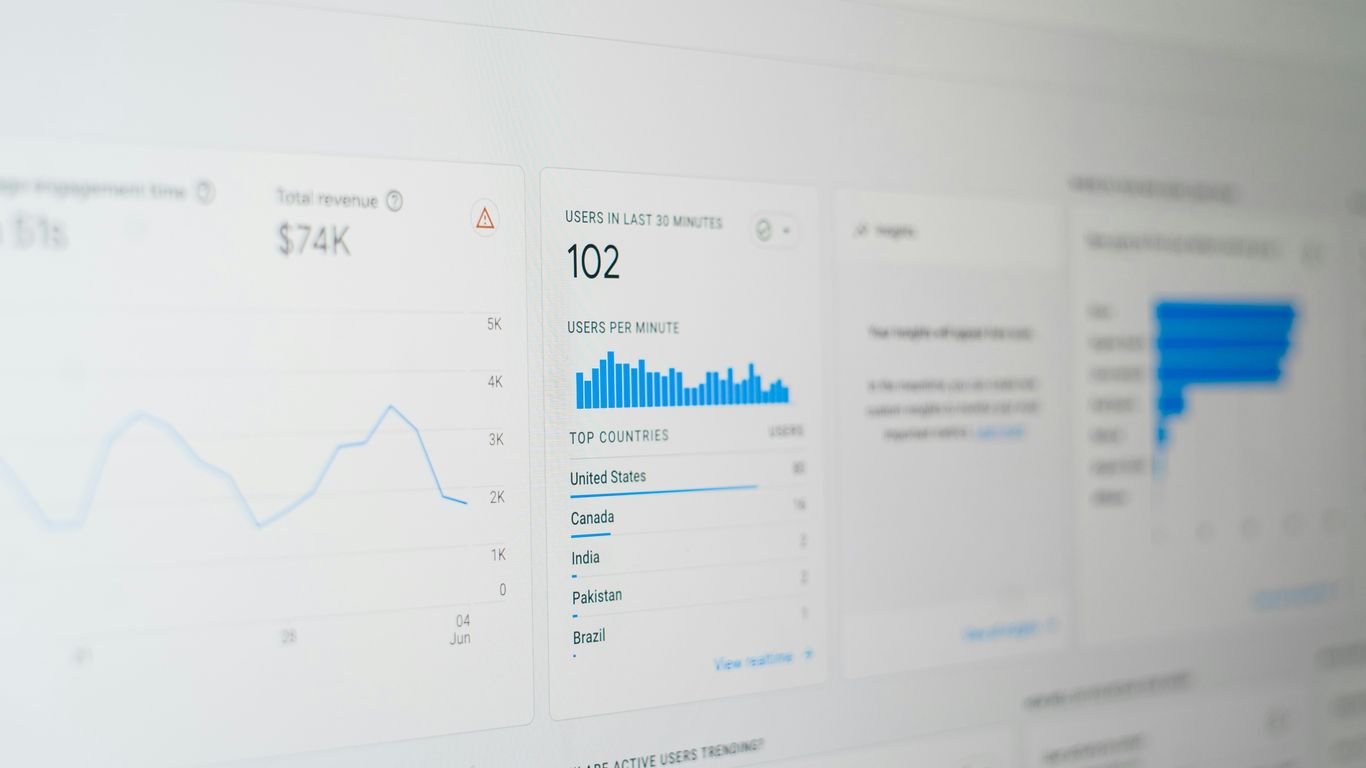
We all know that SEO is super important for getting our websites seen, but if we’re not tracking what’s happening, how do we know if any of our hard work is actually paying off? It’s like driving without a map. We’ve put together some pointers on how to make our SEO reporting actually useful, so we can see what’s working and what’s not. This is all about making our SEO services look good and get results.
Key Takeaways
- Focus on metrics that show real business results, not just numbers that look good on paper. Think about conversions and revenue, not just how many people visited your site.
- Use tools like Google Search Console and Google Analytics 4 to get a clear picture of your organic traffic and user behavior. These free tools give us a ton of useful data.
- Automate your reporting as much as possible. Spending less time making charts means more time for figuring out what the data actually means and how to improve our SEO services.
1. Google Search Console
Alright, let’s talk about Google Search Console. If you’re doing anything with SEO, this is like your absolute must-have tool. It’s basically Google’s way of talking directly to you about how your website is showing up in their search results. We use it all the time to see if Google can even find our pages, which is pretty important, right?
Think of it as your website’s health check-up report from Google itself. It tells you if there are any technical hiccups that might be stopping Google from crawling or indexing your content properly. We’ve found that checking the "Coverage" report regularly is a good way to catch issues early. It flags pages that aren’t indexed, why they aren’t indexed, and what you can do about it. This is super helpful for making sure your important pages actually have a shot at showing up in search.
Here are a few things we always check:
- Index Coverage: Are your pages getting indexed? Are there errors? This is the first place we look.
- Performance: See how your site is doing in terms of clicks and impressions. You can filter this by queries, pages, countries, and devices.
- Mobile Usability: With so many people searching on their phones, you need to know if your site works well on mobile. Search Console will tell you if there are any problems.
- Core Web Vitals: This report shows how users experience the speed and stability of your site. Good scores here can really help with user experience and, you guessed it, SEO.
It also lets you submit sitemaps, which is a file that lists all the important URLs on your site. While Google can usually find pages on its own through links, submitting a sitemap is like giving it a helpful roadmap. We also use the URL Inspection tool quite a bit. You can pop in a URL and see exactly how Google sees it, which is handy for troubleshooting specific pages. It’s a free tool, and honestly, if you’re serious about SEO, you should be using it. It gives you direct insights that you just can’t get anywhere else, helping you understand how to improve your site’s visibility. For example, if you’re focusing on specific campaign goals, understanding how your landing pages perform in search is key, and Search Console provides that data. Check your site’s performance directly within Google Search Console.
2. Google Analytics 4
When we talk about tracking website performance, Google Analytics 4 (GA4) is a big one. It’s where we go to see how people are actually interacting with our site. Think of it as our digital playground, showing us who’s visiting, where they’re coming from, and what they’re doing once they get there.
GA4 is pretty different from older versions. It’s all about events now, which means we can track pretty much anything that happens on our site. This is super helpful for understanding user journeys. We can see things like:
- Page views: Which pages are getting the most eyeballs?
- Scroll depth: Are people actually reading our content, or just skimming?
- File downloads: Are users interested in our resources?
- Video plays: Is our video content engaging?
- Form submissions: Are people taking the desired actions?
The real power of GA4 comes from connecting these events to our business goals. It’s not just about getting traffic; it’s about getting the right traffic that converts. We can set up custom events to track specific actions that matter to us, like signing up for a newsletter or making a purchase. This helps us see which marketing efforts are actually driving results. For instance, we can see how many users who came from organic search eventually completed a purchase, giving us a clearer picture of our SEO campaign performance.
It’s also great for understanding audience behavior. We can see demographics, interests, and even the devices people are using. This information helps us tailor our content and user experience to be more effective.
GA4 gives us a much more event-driven view of user interactions, moving beyond simple pageviews to understand the full journey. This allows for more granular analysis and better alignment with business objectives.
While GA4 can seem a bit complex at first, getting comfortable with its event-based model is key. It provides the data we need to make smart decisions about our website and marketing strategies.
3. Semrush
When we talk about SEO tools, Semrush is pretty much always in the conversation. It’s like the Swiss Army knife for digital marketers, offering a ton of features that help us keep tabs on our search performance. We use it a lot for tracking where we stand with our keyword rankings – it gives us a clear picture of how we’re doing against competitors.
One of the things we really appreciate is its ability to show us content gaps. This means we can see what topics our competitors are ranking for that we aren’t, which is super helpful for planning new content. It also has a solid site audit feature that flags technical issues we might have missed, like broken links or slow page speeds.
Here’s a quick look at some of the key areas Semrush helps us with:
- Keyword Tracking: Monitoring our position for important search terms.
- Competitor Analysis: Seeing what our rivals are doing well and where we can improve.
- Site Audits: Finding and fixing technical SEO problems.
- Backlink Analysis: Understanding our link profile and identifying opportunities.
Semrush provides a really broad view of our SEO health. It’s not just about our own site; it’s about understanding our place in the wider search landscape. This helps us make smarter decisions about where to focus our efforts.
We often pull reports from Semrush to see which pages are getting the most organic traffic and how they’re performing. It’s a go-to tool for getting a handle on both our own site’s performance and the competitive environment we’re operating in.
4. Ahrefs
When we’re looking at the whole SEO picture, Ahrefs is another tool that really helps us out. It’s great for digging into what our competitors are doing and finding opportunities we might have missed. Think of it like having a super-detailed map of the SEO landscape.
We use Ahrefs a lot for a few key things:
- Backlink Analysis: This is probably its strongest suit. We can see who’s linking to our site and, more importantly, who’s linking to our competitors. This helps us figure out where we can get more quality links.
- Content Explorer: This feature lets us see what content is performing well across the web for certain topics. It’s a goldmine for finding ideas for new blog posts or pages that people are actually interested in.
- Site Audit: Like other tools, Ahrefs has a site audit function that flags technical issues. It’s pretty thorough and gives us a clear list of what needs fixing.
- Keyword Research: While we use other tools for this too, Ahrefs gives us a solid view of keyword difficulty and search volume, helping us prioritize what terms to target.
One of the coolest things Ahrefs does is show us content gaps. It compares our site to a competitor’s and highlights topics they rank for that we don’t. This is super useful for planning our content strategy and making sure we’re not missing out on traffic. We’ve found that focusing on these gaps can really move the needle for us.
We’ve learned that just looking at our own site isn’t enough. Understanding the competitive space, especially through tools like Ahrefs, gives us the context we need to make smarter decisions. It’s not just about ranking; it’s about ranking for the right things and understanding why others are succeeding.
When we’re reporting on our progress, we often pull data on keyword rankings and backlink growth directly from Ahrefs. It gives us a clear picture of our site’s authority and visibility in the search results. It’s a tool that really helps us understand our position in the market and how we can improve it, especially when looking at competitor analysis.
5. Organic Traffic
Okay, so we’ve talked about the tools and some specific metrics, but let’s zoom in on the big picture: organic traffic. This is basically the lifeblood of SEO, showing us how many people are finding our site through search engines without us paying for ads. It’s the ultimate sign that our SEO efforts are actually working.
We need to keep a close eye on this number. Is it going up? Down? By how much? These patterns tell the real story. We should be looking at trends over time, not just a single snapshot. Think of it like watching a plant grow – you see the progress day by day, not just when it’s fully bloomed.
Here’s how we can break it down:
- Overall Trend: Are we seeing more or fewer visitors from search engines month over month, or year over year?
- Traffic by Landing Page: Which specific pages are bringing in the most organic visitors? This helps us know what content is hitting the mark and what needs a boost.
- New vs. Returning Visitors: Are we attracting new people, or are we doing a good job of bringing people back?
We need to remember that not all traffic is created equal. We’re looking for traffic that’s likely to convert, not just any clicks. So, while a big number is nice, we need to make sure it’s the right kind of traffic.
For example, we might see a big jump in traffic to a blog post that ranks for a broad, unspecific keyword. That’s great for the number, but if those visitors aren’t interested in our products or services, it doesn’t really help us. On the flip side, a smaller increase in traffic to a product page from a very specific, high-intent keyword might be way more valuable. We need to connect this traffic data to actual business goals, like leads or sales, to see the real impact.
6. Keyword Rankings
Okay, so we’ve talked about getting found, but how do we know what we’re being found for? That’s where tracking keyword rankings comes in. It’s basically keeping an eye on where our website shows up in search results for specific terms people are typing into Google.
This is super important because it tells us if our SEO efforts are actually hitting the mark. If we’re trying to rank for "best dog food" and we’re nowhere to be seen, we know we’ve got work to do. On the flip side, if we’re climbing the ranks for terms that actually bring in customers, that’s a win!
We usually check this in tools like Semrush or Ahrefs. They let us set up lists of keywords we care about and then show us our position over time. It’s not just about hitting number one for everything, though. Sometimes, ranking on page two for a really specific, high-intent keyword is way better than being buried on page five for a super broad term.
Here’s a quick look at what we usually track:
- Target Keywords: The specific words and phrases we’re aiming to rank for.
- Current Ranking: Where we currently sit in the search results for each keyword.
- Search Volume: How many people are actually searching for that term each month.
- Ranking Trend: Are we moving up, down, or staying put?
We need to remember that keyword rankings aren’t the be-all and end-all. They’re a piece of the puzzle. A high ranking for a keyword that doesn’t lead to any actual business results, like a sale or a signup, isn’t all that helpful. We always want to connect our ranking efforts back to what matters for the business.
It’s also good to keep an eye on what our competitors are doing. If they suddenly jump up in the rankings for a term we thought was ours, we need to figure out why. This kind of intel helps us adjust our strategy. We’re not just guessing; we’re reacting to the search landscape and making smart moves to improve our visibility for the right terms. Checking these rankings regularly helps us see if our content strategy is working or if we need to pivot. For instance, if we notice we’re not ranking well for important terms, it might signal a need for more targeted content creation, like the kind that helps build topical authority.
We also look at how our rankings change for different types of keywords. Are we seeing movement for informational queries, or are we making progress on those that are closer to a sale? This helps us understand the full picture of our search visibility and how it aligns with our overall content strategy.
7. Click-Through Rate
So, let’s talk about click-through rate, or CTR. We see this number pop up everywhere, and for good reason. It basically tells us how often people who see our stuff in the search results actually click on it. Think of it like this: if your page shows up 100 times and gets clicked 5 times, your CTR is 5%. It’s a direct measure of how compelling your title and meta description are to searchers.
Why should we care so much about CTR? Well, a good CTR can signal to Google that your page is relevant and interesting for a particular search query. This can sometimes help with rankings, but more importantly, it means more people are actually visiting your site from search. More visitors often means more chances for conversions, right?
We usually look at CTR in Google Search Console. It’s broken down by query, by page, and even by device. This is super helpful for figuring out what’s working and what’s not.
Here’s a quick look at how we might break it down:
- High Impressions, Low CTR: This usually means your title tag or meta description isn’t grabbing attention, or maybe it’s not quite matching what people are looking for. We need to make these more enticing or more accurate.
- Low Impressions, High CTR: This could mean you’re ranking for very specific, long-tail keywords where your result really stands out. It’s great, but the overall traffic might be low.
- High Impressions, High CTR: This is the sweet spot! Your content is showing up a lot and people are clicking. We want to understand why and replicate that success.
We’ve found that tweaking title tags and meta descriptions based on CTR data can make a real difference. It’s not just about getting found; it’s about getting clicked.
When we analyze CTR, we’re always asking: "Are we attracting the right kind of clicks?" A high CTR on a page that doesn’t convert visitors isn’t as valuable as a slightly lower CTR on a page that leads to sales or sign-ups. So, while CTR is a great concurrent indicator of performance, we always connect it back to our ultimate goals.
8. Conversions
Okay, so we’ve talked about getting people to our site, but what are they actually doing once they get there? That’s where conversions come in. Simply put, a conversion is any valuable action a visitor takes on your website. This could be anything from filling out a contact form, signing up for a newsletter, downloading an ebook, or even making a purchase.
Tracking conversions is super important because it directly ties our SEO efforts to actual business results. It’s the ultimate measure of whether our traffic is actually good traffic. We don’t just want visitors; we want visitors who do things that help our business grow.
Here’s a quick look at what we usually track:
- Form Submissions: Leads generated through contact or quote request forms.
- Newsletter Sign-ups: Building our email list for future marketing.
- Downloads: Getting users to download resources like whitepapers or guides.
- Purchases: The big one for e-commerce, directly impacting revenue.
We need to make sure our conversion tracking is set up correctly in Google Analytics 4. If it’s not, we’re basically flying blind. A properly configured setup means we can see which keywords, pages, and campaigns are bringing in the most valuable visitors. This helps us focus our energy and budget on what’s actually working. For instance, if we see that traffic from a specific blog post is leading to a high number of demo requests, we know that content is performing well and should be promoted further. It’s about connecting the dots between what we do for SEO and the money we make. We can also look at remarketing campaigns to re-engage visitors who didn’t convert the first time around re-engage website visitors.
We always ask ourselves: ‘What specific action will this data help someone take?’ If we can’t answer that clearly, we probably don’t need that metric in the report. It’s all about making decisions, not just collecting numbers.
9. Backlinks

Okay, let’s talk about backlinks. These are basically links from other websites pointing to yours. Think of them like votes of confidence. The more quality sites that link to you, the more search engines like Google tend to see your site as trustworthy and authoritative.
It’s not just about the number of links, though. The quality of the site linking to you matters a ton. A link from a well-respected, relevant website is way more valuable than a bunch of links from spammy or irrelevant sites. We need to keep an eye on who’s linking to us and where those links are coming from.
Here’s a quick rundown of what we should be looking at:
- Referring Domains: How many unique websites are linking to us?
- Backlink Profile: What’s the overall quality and diversity of our backlinks?
- Anchor Text: What words are used in the links pointing to our site? This gives context.
- New vs. Lost Links: Are we gaining new links, or are we losing them over time?
We can use tools like Semrush or Ahrefs to get a handle on this data. They show us who’s linking to us, what anchor text they’re using, and even give us a quality score for those links. It helps us spot opportunities and potential issues.
When we’re building links, we want to focus on earning them naturally. This means creating content so good that other sites want to link to it. It’s a slower process, sure, but it builds a much stronger and more sustainable backlink profile in the long run. Trying to game the system with low-quality links can actually hurt us.
We also need to be mindful of links we don’t want associated with our site. If we have user-generated content, like comments, we should make sure those links have a nofollow attribute. This tells search engines not to pass any authority through those links, which is good practice. It helps prevent our site from being associated with potentially bad sites that users might link to. Keeping our site healthy and reliable is key, and that includes managing our link profile. Website maintenance services can help ensure your site is secure and performing well, which indirectly supports your link-building efforts by keeping your site attractive to potential linkers.
10. Technical Audits

Okay, so we’ve talked about a bunch of metrics and tools, but what about the nuts and bolts of your website? That’s where technical audits come in. Think of it like giving your car a tune-up; you want to make sure everything’s running smoothly under the hood so it doesn’t break down when you need it most.
We need to regularly check for things that could be tripping up search engines or annoying our visitors. This includes stuff like:
- Site speed: Is your website loading faster than a speeding bullet, or does it feel like it’s stuck in molasses? Slow sites lose visitors and rank lower. We can use tools to check this and make improvements, like optimizing images or fixing code. This is super important for user experience and can really impact your search engine rankings.
- Mobile-friendliness: Most people browse on their phones these days, so if your site looks wonky on a small screen, you’re losing out.
- Crawlability and Indexability: Can search engines actually find and understand all the important pages on your site? We don’t want any hidden gems getting lost.
- Broken Links (404s): Nothing frustrates a user more than clicking a link and getting a "Page Not Found" error. We need to find and fix these.
- Duplicate Content: Having too much of the same content can confuse search engines about which page is the most relevant.
We’ve found that fixing technical issues often has a surprisingly big impact on traffic and conversions. It’s not always the most glamorous part of SEO, but it’s definitely one of the most important for long-term success. Plus, getting your site in good shape can make all your other SEO efforts work even better.
When we do these audits, we’re not just looking for problems; we’re looking for opportunities. Fixing a technical issue might not sound as exciting as a big content win, but it can often lead to more immediate and measurable improvements. It’s all about making sure the foundation of your website is solid so that your content and marketing efforts can truly shine. We often use tools like Semrush or Ahrefs for these checks, but sometimes simpler tools are just as effective for specific tasks. For example, checking your website speed is a common audit item.
When it comes to your online presence, making sure everything is working right is super important. Our technical audits are like a check-up for your website, finding any hidden problems that could be slowing you down or stopping people from finding you. We look at all the technical bits to make sure your site is fast, easy for search engines to understand, and works perfectly on all devices. Want to see how well your website is performing? Visit our website today for a free check-up!
So, What's the Takeaway?
Look, getting SEO reporting right isn’t some dark art. It’s about being smart with your time and making sure the numbers you’re looking at actually mean something for the business. We’ve talked about how to ditch the jargon, focus on what really matters, and even automate some of the grunt work so you can spend more time figuring out what the data is telling you. Remember, it’s not about having the fanciest charts; it’s about using those charts to make better decisions and show how SEO is actually helping us hit our goals. Keep it simple, keep it clear, and you’ll be miles ahead.
Frequently Asked Questions
Why do we need to report on SEO stuff?
Think of it like this: if we don’t track our SEO efforts, we’re basically flying blind. We wouldn’t know if what we’re doing is actually working or if we’re heading in the right direction. Reporting helps us see what’s good, what’s not, and where we should focus our energy to get more people to find us online.
What are the most important things to look at in an SEO report?
We should focus on a few key things that really show if we’re doing well. This includes how much traffic we’re getting from search engines (Organic Traffic), how many people are clicking on our links when they search (Click-Through Rate), and if those visitors are actually doing what we want them to do, like buying something or signing up (Conversions). Looking at these helps us understand if our work is paying off.
Should we check our SEO numbers every day?
Checking too often can make us jumpy and want to change things based on small ups and downs that don’t really mean much in the long run. It’s better to check our main numbers about once a month. This gives us enough time to see real trends and make smart decisions without getting stressed about tiny daily changes.