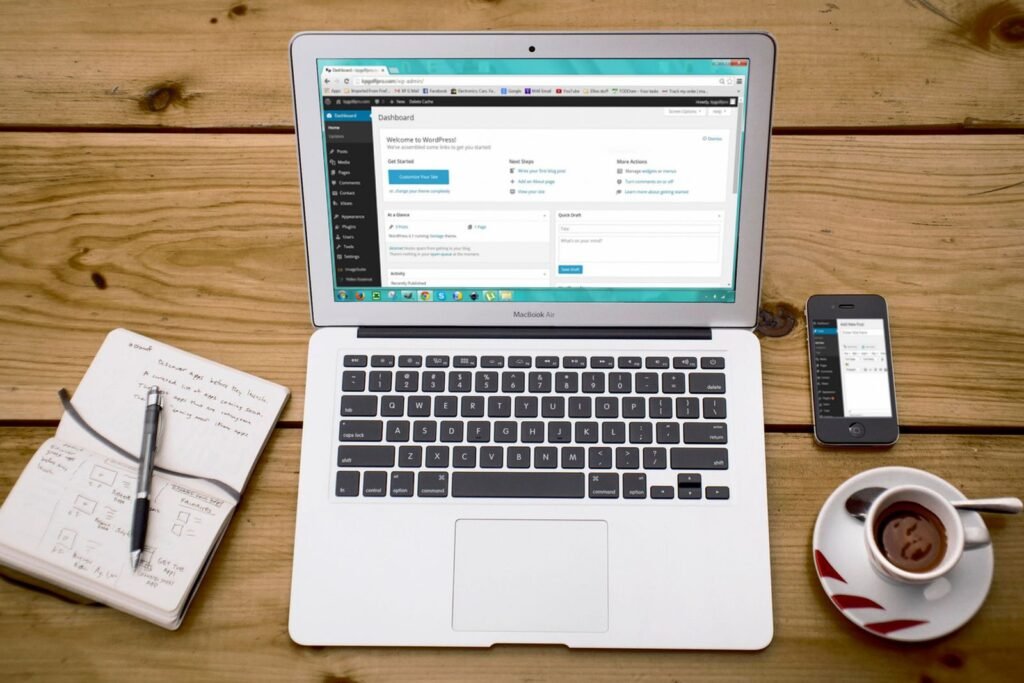
Most website projects in Singapore go wrong at one specific moment, and it is almost never the design stage. It is the moment six months after launch when somebody in the marketing team needs to change a headline, cannot work out how, and emails the developer instead. Every content management system decision you make should be judged against that moment, because that is where the money quietly leaks out for the next three years. The platform that looks cheapest in the quotation is frequently the one that costs the most to actually run.
We spend a lot of time on this question with clients before a single wireframe is drawn. Not because the technology is glamorous, but because the choice sets the ceiling on how fast your marketing can move. A business that can publish a landing page in an afternoon behaves differently from one that waits nine working days for a developer ticket. Over a year, that difference is worth more than almost any design refinement.
This post walks through the three realistic families of options, the questions that actually separate them, what a migration really costs, and how to build a total cost of ownership picture that survives contact with reality.
The three families, described honestly
There are dozens of platforms on the market, but for a Singapore SME they collapse into three groups.
Self-hosted open source. WordPress dominates this category, with Craft, Drupal and a few others in the margins. You own the code, you own the database, you choose the host, and you are responsible for updates. The editing interface is mature and familiar. The ecosystem is enormous, which is both the strength and the weakness.
Headless or decoupled. The content lives in a purpose-built editing back end such as Contentful, Sanity, Strapi or Storyblok, and a separate front end application renders it. The two talk over an API. This gives you clean content modelling, excellent performance and the ability to push the same content to a website, an app and a kiosk screen. It also means you are running two systems instead of one, and the front end needs a developer whenever the layout changes.
Hosted SaaS. Shopify, Squarespace, Webflow and Wix sit here. You rent the whole stack. Updates, security patching and hosting are somebody else's problem. You trade control for convenience, and the trade is often a good one. The catch arrives at the edges, when you want a behaviour the platform does not natively support.
None of these is the correct answer in the abstract. The correct answer depends on facts about your business, not facts about the software.
Start with the question nobody asks: who is actually editing this?
Before comparing feature lists, write down the name of the person who will make routine changes to the website. Not the department. The name.
This sounds trivial. It is the single most predictive question we ask during a discovery session. When we audit the websites of businesses that are unhappy with their platform, the pattern is almost always the same: the system was selected by whoever was most technical in the room, and the person who ended up maintaining it was not that person.
Work through it properly:
- Who writes the copy? Do they write in a document and paste it in, or compose directly in the platform?
- Who adds a new service page, and how often does that happen?
- Who uploads images, and do they know how to size and compress them?
- Who fixes it at 10pm when a product launch page is wrong?
- What happens when that person leaves the company?
If the honest answer to most of those is "our agency", then a platform optimised for in-house editing is wasted spend and you should optimise for developer efficiency instead. If the honest answer is "our marketing executive, weekly", then editing experience outranks nearly every other criterion, and a headless build that requires a front end deployment for a layout change will frustrate everyone involved within a quarter.
Our clients who publish frequently almost always end up happier on a system with visual, in-context editing. Our clients who publish rarely but need unusual functionality are better served by a structured, API-driven setup. The publishing cadence tells you more than the feature matrix does.
Comparing the three on the criteria that matter
Here is the comparison we actually use internally when scoping a build. The costs are indicative Singapore market ranges for an SME site of roughly fifteen to forty pages, and they will move depending on complexity.
| Criterion | Self-hosted WordPress | Headless CMS | Hosted SaaS |
|---|---|---|---|
| Typical build cost | SGD 8,000 to SGD 35,000 | SGD 25,000 to SGD 90,000 | SGD 5,000 to SGD 25,000 |
| Annual platform and hosting | SGD 600 to SGD 3,500 | SGD 3,000 to SGD 12,000 | SGD 500 to SGD 5,000 |
| Who can edit a page layout | Marketing, with a builder | Developer, usually | Marketing, within templates |
| Time to publish a new landing page | Hours | Days | Hours |
| Security and update burden | Yours, ongoing | Split, moderate | Platform's |
| Ceiling on custom functionality | Very high | Very high | Low to medium |
| Multi channel content reuse | Poor to fair | Excellent | Poor |
| Realistic exit cost later | Moderate | Low to moderate | High |
| Talent availability in Singapore | Abundant | Limited | Moderate |
Two rows deserve special attention because they are the ones most often ignored in proposals.
Talent availability. Singapore has a deep pool of WordPress developers at every price point, which means you can replace an agency without replacing the website. The pool of engineers comfortable with a specific headless framework is smaller and more expensive. That is a business continuity issue, not a technical one. If your platform choice means there are twelve people in the country who can maintain it, you have bought a dependency.
Exit cost. SaaS platforms score worst here and it rarely appears in the sales conversation. Content is generally exportable. Design, URL structure, form logic, custom fields and integrations often are not. We have rebuilt sites off hosted platforms where the export produced clean text and almost nothing else, and the practical outcome was a full rebuild.
Migration cost, calculated properly
Migration quotes vary wildly because most of them are only counting page rebuilds. The page rebuild is usually the smallest line item. Here is what a full migration actually includes.
Content audit and inventory. Every URL, its traffic, its conversions, and a decision on whether it moves, merges or dies. On a 200 page site this is genuinely a week of work. It is also the step that produces the most value, because it usually identifies a third of the site that should not be rebuilt at all.
Content modelling. Deciding what a "case study" or a "service" is as a structured object, with defined fields. Skipping this is why so many sites degrade into inconsistent one-off pages within a year.
Template build. The actual design implementation. This is the part everyone quotes for.
Content migration. Moving and reformatting. Automated for structured content, manual for anything that was hand built. The ratio of automated to manual work is the single biggest driver of cost variance, and you will not know it until somebody inspects the existing site.
Redirect mapping. Every old URL pointed at its new equivalent. A missed redirect map is the fastest way to lose organic traffic that took years to earn, and it is entirely preventable. This is the step we most often find missing when we run an SEO audit on a site that lost rankings after a relaunch.
Integration rebuild. CRM, marketing automation, booking systems, payment gateways, analytics, tag manager containers, consent tooling. Each one needs to be reconnected and retested.
Parallel running and QA. Forms tested, tracking verified, mobile checked, speed benchmarked against the old site.
Training and documentation. Half a day of training and a written editing guide. Consistently the cheapest item in the project and consistently the one cut first.
A fair rule of thumb from the projects we have run: budget the same again on top of the design and build fee to cover audit, migration, redirects, integrations and QA on a site of any real size. If a migration quote does not have separate lines for redirect mapping and integration rebuild, it is not a migration quote. It is a design quote wearing a costume.
The contrarian bit: your platform is not why your website underperforms
A common mistake we see is a business deciding that a platform change will fix a commercial problem. Enquiries are down, the site feels dated, somebody suggests moving to a modern stack, and eighteen months later the enquiries are still down but the site is faster.
In reality, the overwhelming majority of underperforming SME websites in Singapore are underperforming for reasons that are entirely platform independent. The proposition is unclear above the fold. The service pages describe capabilities rather than outcomes. There is no evidence, no pricing signal and no reason to choose this business over the four others in the same search results. The forms ask for eleven fields. Nobody has written anything new in fourteen months.
We have seen sites on ageing, unfashionable installations that convert extremely well because the messaging is sharp and the offer is clear. We have also seen beautiful headless builds with immaculate performance scores that generate almost nothing, because the content strategy behind them was never written.
Before you re-platform, do the cheaper diagnostic. Look at your search visibility, your on page optimisation, your conversion path and your content freshness. If those three are weak, a new content management system will reproduce the same weaknesses on a better foundation. If those three are strong and the platform is the constraint, which does happen, then you have a real case and a clear business justification.
The uncomfortable truth about re-platforming is that it is an attractive project. It has a launch date, a visible deliverable and a satisfying before-and-after. Fixing messaging and building a publishing habit is slower, less photogenic, and usually worth more.
Total cost of ownership over three years
Website budgets are still discussed as one-off capital expenditure, which is why so many businesses are surprised in year two. Model it over three years instead. Here is the frame we use.
Year one. Build fee, content production, photography, migration, training, plus the platform and hosting cost. Add anything you paid to run the old site in parallel.
Ongoing licences. Headless platforms, premium plugins, form tools, booking systems, search tools, image CDNs. Individually modest. Collectively, we routinely find SGD 200 to SGD 500 a month sitting on a corporate card that nobody has reviewed since launch.
Maintenance. Core updates, plugin updates, backups, uptime monitoring, security scanning, PHP or framework version upgrades. On self-hosted setups this is real, recurring and non-optional. Budget it as a line item through a website maintenance retainer or accept that it will be done badly in a panic.
Change requests. The layout tweaks, new sections, new campaign pages. Estimate how many you made in the last twelve months and price that volume on the new platform. This is where headless setups accumulate cost that never appears in the original comparison.
Performance work. Speed degrades over time as content, scripts and third party tags accumulate. Periodic speed optimisation is maintenance, not a one-off.
Content. The system is an empty vessel. Blog posts, service page rewrites, case studies. If you are not budgeting for this, you are budgeting for a brochure. Regular article writing is what makes the platform investment pay back at all.
Internal time. The hours your own people spend. Real cost, almost never counted.
Add those up over thirty six months and the ranking of the three options frequently reverses. The cheapest build is often the most expensive to own, and the most expensive build is sometimes the one that stops costing you money after month four.
Client example: an engineering group's WordPress site
An engineering services group we work with runs its corporate website on WordPress. The CMS itself was fine. The problem was how it had been looked after: nine plugins were out of date, uptime had slipped to 98.1%, and the mobile PageSpeed score sat at 31, with the main content taking 5.6 seconds to appear on a phone.
Working on a staging copy so the live site never broke, we audited every plugin and script, removed 14 that were unused or duplicated, updated the rest, added security and daily off-site backups, then sped up images, caching and scripts. Three months after the work went live, the mobile PageSpeed score was 89, mobile load time had dropped to 1.9 seconds, uptime was 99.98% and no plugins were out of date.
Choosing a content management system is only half the decision. The other half is who keeps it healthy after launch. Our website speed and maintenance case study shows what that work involves.
Choosing, in practice
Here is the shortest honest decision guide we can give.
Choose self-hosted WordPress if you publish regularly, you want your own team editing, you need broad integration flexibility, and you are willing to fund maintenance properly. It remains the default for good reason, and most of the criticism aimed at it is really criticism of badly built installations. A well-built WordPress site is fast, secure and pleasant to run. A badly built one is a liability, which is why the web design partner matters more than the platform label.
Choose headless if you have genuine multi channel needs, a large structured content library, in-house or retained engineering capacity, and a publishing pattern that is content-heavy rather than layout-heavy. It is an excellent fit for product catalogues, documentation, and media libraries. It is a poor fit for a ten page brochure site that needs a new campaign layout every month.
Choose hosted SaaS if your requirements are conventional, your team is small, you value not thinking about servers, and you accept the ceiling. For a straightforward online store, a hosted commerce platform with a good theme will get you further, faster, than a custom build, and our ecommerce website design work frequently starts from exactly that position. We have written separately about how to evaluate a build partner for online retail in our guide to the best ecommerce website design company in Singapore.
Whichever you pick, insist on three things in the contract: full access to hosting and source code or a documented export path, a written redirect map at launch, and training for named individuals with a recorded session. Those three clauses have saved more projects than any technology decision.
Field Notes
Across the website audits we ran for Singapore SMEs this year, roughly two thirds of the sites we looked at had at least one unused paid plugin or subscription still billing monthly, and in several cases the subscription had outlived the feature it was bought for by more than a year. The median amount was small, around SGD 90 a month, but over a three year ownership window that is real money spent on nothing.
A second observation from the same set. When we asked marketing contacts how long it took to get a simple text change live on their site, the answers clustered into two groups with almost nothing in between: under an hour, or more than five working days. There was no middle. That gap is the clearest signal we have found of whether the platform and the team are matched. If your answer is in the second group and you publish often, the platform is costing you more than the invoice suggests.
One more. Of the relaunches we were asked to diagnose after an organic traffic drop, every single case involved either a missing or an incomplete redirect map. Not a single one was caused by the choice of platform itself.
Where to go from here
Run the audit before you run the procurement. Write down who edits, how often, what they change, and what it costs you today in waiting time. Model three years, not one. Ask any prospective partner to quote redirects, integrations and training as separate lines, and be suspicious of anyone who will not.
If you want a second opinion on whether your current content management system is the constraint or simply the most visible suspect, our team reviews these decisions regularly as part of our website design work. Get in touch through our contact page and we will tell you honestly if the answer is to stay put.

Natasha Tan is the founder of Digital Marketing Singapore, a full-service SEO and digital marketing agency based in Singapore. With hands-on experience across SEO, paid media, and content strategy, she works directly with Singapore businesses to build organic visibility and generate consistent leads. Natasha specialises in the Singapore market — including local search behaviour, PDPA compliance, and government grant navigation for SMEs.