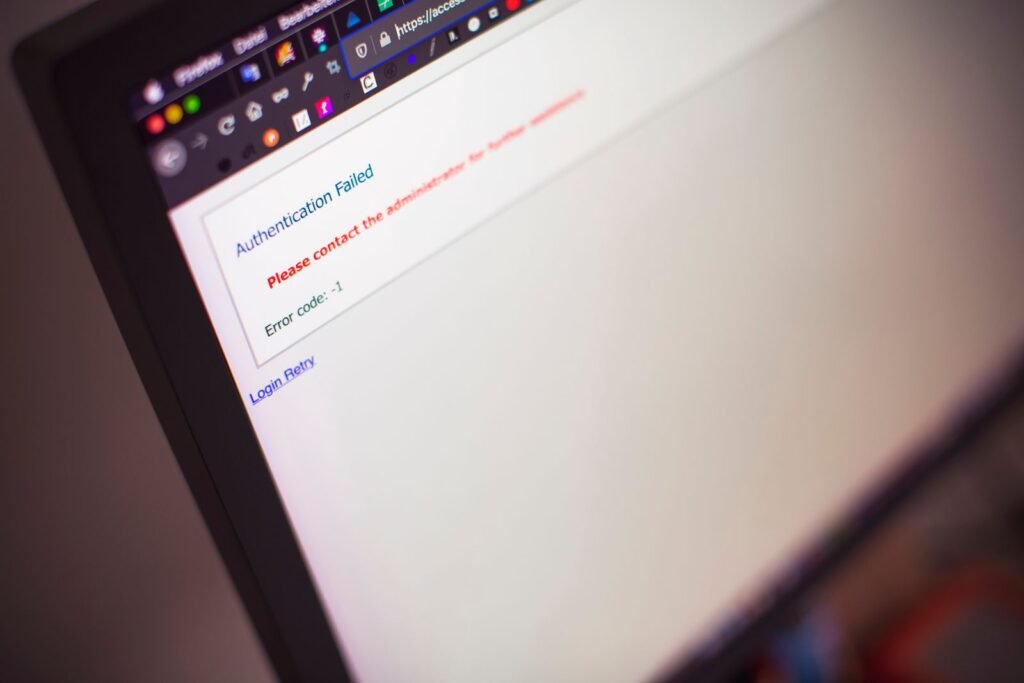
A 404 error means a website server cannot find the page requested at a particular URL. It usually happens because a page was deleted, a URL was changed without a redirect, a link contains a typing error, or a technical migration was incomplete. The immediate fix is to restore the page, redirect the old URL to the most relevant replacement, or correct the link. The right choice depends on why the URL is returning 404 and whether it has traffic, backlinks or search visibility.
For Singapore businesses, this is more than a minor technical inconvenience. A broken product page can interrupt an online purchase, while a missing service page can waste paid search spend and weaken trust with local customers. This guide explains how to diagnose and fix 404 errors without creating redirect problems or damaging organic search performance.
What a 404 error means on a Singapore website
When someone visits a URL, their browser sends a request to the website server. If the server cannot locate the requested resource, it returns an HTTP status code of 404, meaning "not found". The visitor may see a branded error page, a plain server message, or a soft 404 that appears to contain content but still tells search engines that the page does not exist.
A 404 is not automatically harmful. Websites naturally change. Old campaign pages expire, products are discontinued and businesses restructure their services. Search engines expect some URLs to disappear. The problem starts when valuable pages return 404 unexpectedly, when internal links point to them, or when visitors arrive from adverts, Google results, social posts or external websites and find no useful next step.
There is also an important distinction between a 404 and a 410 status. A 410 explicitly says that content has been removed and is not expected to return. In practice, most Singapore SMEs should focus first on accurate page restoration, relevant 301 redirects and a useful custom error page rather than changing status codes without a clear reason.
A 404 can affect several parts of a digital operation at once. An ecommerce retailer may lose a sale when a Google Shopping or social campaign links to a removed product. A professional services firm may send prospects to a deleted consultation page from an email signature. A restaurant may have an outdated menu URL printed on a QR code. These are operational failures as much as SEO problems.
Why 404 errors happen in Singapore businesses
Website redesigns and platform migrations
Redesigns are one of the most common causes of large numbers of 404 errors. A business may move from one content management system to another, change its navigation structure or simplify its URL format. For example, /services/web-design/ might become /website-design/, while old URLs remain in Google, brochures, social profiles and referring websites.
A migration should begin with a URL inventory, not with visual design. The old URL list should be matched to new destinations before launch. This includes service pages, blog articles, product pages, downloadable resources, campaign landing pages and location pages. Our team sees businesses spend heavily on a new website design project while treating redirects as a last-minute technical task. That reverses the priorities. A visually better website can still lose valuable traffic if its URL equity is discarded.
Deleted or discontinued products and services
A page may be removed because a product is out of stock, a service is no longer offered or a campaign has ended. Deleting the URL is not always the correct response. If a discontinued product has a direct successor, redirecting it to that successor is usually more helpful. If there is no equivalent, a relevant category or service page may be suitable. Redirecting every old URL to the homepage is rarely useful because the destination does not match the visitor’s intent.
This issue is especially relevant to Singapore retailers and distributors with seasonal ranges. A product URL may continue receiving visits from comparison articles, marketplace listings or saved bookmarks after the item is unavailable. A clear replacement message, related products and an enquiry option can preserve some commercial value even when the original item cannot be sold.
Typing errors and broken internal links
Some 404s are caused by simple mistakes: a missing character, incorrect capitalisation, an extra slash or a link copied with tracking parameters that the server does not recognise. Internal links can also break when a page slug changes. These errors are preventable through routine crawling and quality assurance.
A broken internal link is more serious than a single visitor mistake because it sends a deliberate signal from your own website. It wastes crawl resources, interrupts the visitor journey and can make a site appear poorly maintained. Check menus, footer links, breadcrumbs, related article modules, XML sitemaps and prominent calls to action rather than checking only the homepage.
Expired campaigns, events and promotions
Singapore businesses frequently create short-lived pages for Chinese New Year promotions, Great Singapore Sale campaigns, trade shows, webinars, school holiday offers and year-end sales. When these pages are removed immediately after the event, links in newsletters and social posts may keep sending visitors to 404 pages.
The correct treatment depends on the page’s future value. An annual event page may be retained and updated for the next year. A completed event can be redirected to an evergreen events or company page. A one-off promotion with no useful successor may be allowed to disappear, but the custom 404 page should direct visitors to current offers or contact options.
Hosting, DNS and server configuration issues
Not every apparent 404 is caused by a missing page. Incorrect rewrite rules, a misconfigured reverse proxy, a failed deployment or a CMS routing problem can cause existing pages to return 404. A staging site may also be indexed accidentally, creating URLs that work in one environment but not in production.
If many unrelated URLs begin returning 404 at the same time, treat the incident as a technical fault rather than a content clean-up exercise. Check server logs, deployment history, DNS changes, CDN settings and CMS routing rules. A sudden site-wide pattern needs prompt escalation to the developer or hosting provider.
Changes to ecommerce URL structures
Online stores are particularly vulnerable because product catalogues, categories, filters and variants generate many URLs. A platform migration may change product handles, category paths or trailing slash behaviour. Faceted navigation can also create URLs that should not be indexed, while deleted products may remain linked from category pages or feeds.
Businesses using Shopify, WooCommerce or another platform should maintain a product URL register during structural changes. If the catalogue is substantial, ecommerce SEO support can help distinguish valuable product URLs from duplicate, filtered or obsolete versions. The objective is not to eliminate every 404 at any cost. It is to protect useful pages and avoid directing visitors to irrelevant destinations.
Singapore market angle: why local 404s cost more than a technical fault
Singapore’s compact market does not make broken pages less important. It often makes the customer journey more concentrated. A local customer may discover a business through Google Maps, a WhatsApp recommendation, an Instagram post, a review site or a QR code at a physical location, then expect the linked page to work immediately. If it does not, the customer can switch to a competitor with little friction.
Local intent also matters. A page targeting "accountant in Tampines", "wedding photographer Singapore" or "office renovation contractor" may attract highly specific enquiries. A 404 on such a page is not equivalent to a broken low-value archive URL. It can remove a carefully built local entry point and weaken the connection between search intent and the business location.
PDPA considerations are relevant when diagnosing errors through analytics and server logs. Teams should collect only the information needed to understand the request, protect access to logs and avoid exposing personal data in error messages or query strings. A 404 page should not display internal file paths, server details, customer information or debugging output.
Government support programmes can also influence website projects. SMEs considering support under the Productivity Solutions Grant or IMDA’s SMEs Go Digital initiatives should clarify whether migration planning, analytics, SEO preservation and post-launch monitoring are included in the scope. A subsidised redesign that launches with broken URLs is still a poor commercial outcome. Funding does not replace technical governance.
Singapore sectors have different risk profiles. F&B businesses may break menu, reservation or delivery links. Fintech and professional services firms may break application and lead-generation pages during compliance updates. Logistics companies may remove service-area pages as operations change. Retailers face catalogue and promotional URL churn. The fix must reflect the way customers in that sector use the site.
How to find 404 errors properly
Start with first-party evidence. Google Search Console can reveal pages Google attempted to crawl but could not find. Analytics can show landing pages with visits but poor engagement. Server logs provide a more complete record of requests, including bots and visitors who never execute analytics scripts. A crawler can identify broken internal links and references within the site.
No single source is complete. Search Console may not show every recent error. Analytics may miss users who leave before the tracking code loads. A crawler may not identify links in PDFs, email campaigns, printed QR codes or third-party platforms. In our experience, reliable diagnosis comes from combining these sources with the business’s knowledge of recent changes.
Classify each 404 before fixing it. A useful classification includes valuable page, replaceable page, obsolete page, accidental URL and probable technical fault. Record the original URL, source of the link, organic clicks or impressions where available, backlinks, commercial purpose, recommended action and date checked. This turns a long error report into a prioritised worklist.
Look first for errors with commercial intent. A page linked from a current Google Ads campaign, a high-traffic service page or a product with external links deserves attention before an old article that has no impressions or referring domains. Paid traffic should be checked urgently because every click has a direct cost. If paid campaigns are involved, SEM management in Singapore can help align destination URLs, ad groups and tracking rather than fixing pages in isolation.
Pay attention to patterns. If every URL under /blog/ fails, the problem may be a rewrite rule. If only URLs containing accented characters or parameters fail, encoding or routing may be involved. If errors appear after a domain, HTTPS or hosting change, investigate the infrastructure. Patterns often reveal the cause faster than reviewing URLs one by one.
How to fix a 404 error without creating new problems
Restore the original page when the content still matters
Restoration is often the cleanest fix when a valuable page was removed by mistake or a deployment failed. Keep the original URL if it is meaningful, update outdated information and check that the page returns a 200 status. Do not restore a thin placeholder simply to remove the 404. The restored page should satisfy the visitor’s original intent.
Use a 301 redirect when there is a genuine replacement
A 301 redirect tells browsers and search engines that the URL has moved permanently. It is appropriate when a page has a close successor, such as an old service page moving to a revised service page or a product moving to its current model. The redirect should be one hop where possible. Chains, loops and multiple sequential redirects make crawling and diagnosis harder.
Relevance matters more than convenience. Redirecting an old Singapore office cleaning service page to a generic homepage does not answer the visitor’s question. Redirecting it to the current office cleaning page is more defensible. If no relevant replacement exists, leaving the URL as a 404 may be better than sending users somewhere unrelated.
Correct internal links and third-party references
A redirect is not a substitute for correcting links you control. Update navigation, content, sitemaps, canonical tags, structured data, campaign URLs and downloadable documents. If a high-value external website links to the old URL, contact the publisher when practical and request an update. The redirect protects the visit, but the direct link is cleaner.
For campaigns, update the destination in Google Ads, Meta ads, email automation, QR codes and social media profiles. Google Ads campaigns are particularly sensitive because a technically valid redirect can still introduce tracking, speed or policy complications. Test the final destination on mobile devices and with tracking parameters included.
Improve the custom 404 page
A custom 404 page cannot repair a missing URL, but it can prevent a dead end. It should explain plainly that the page cannot be found, retain the site’s branding, offer a prominent search function and provide links to relevant categories or key services. For a Singapore business, include a practical next action such as requesting a quotation, calling the office or viewing current locations.
Do not overdesign the message or hide the error behind a vague page. Visitors should understand what happened. The page must return a genuine 404 status rather than a 200 status, otherwise it may become a soft 404 and create indexing confusion.
Update SEO signals after the fix
After restoring or redirecting pages, review canonical tags, hreflang where applicable, XML sitemaps, internal links and structured data. Submit important updated URLs for recrawling in Search Console, but do not request indexing for every obsolete URL. Monitor whether the new destination is accessible, relevant and internally linked.
If a migration has caused widespread issues, use a documented launch checklist and monitor errors daily during the initial period. SEO services in Singapore should include technical monitoring when SEO performance is commercially important. SEO is not just keyword placement. It includes ensuring that search engines and users can reach the pages that were promised.
404 response options compared
The correct action depends on the page’s value and whether a close replacement exists. The following decision matrix is more useful than a blanket rule to redirect every error.
| Situation | Recommended response | Main benefit | Main risk if handled badly | Priority |
|---|---|---|---|---|
| Page removed by mistake | Restore the original URL with a 200 status | Preserves the intended experience and existing signals | Restoring outdated or inaccurate content | High |
| URL replaced by a close equivalent | Implement a one-hop 301 redirect | Passes visitors to the relevant successor | Redirecting to a vaguely related page | High |
| Product discontinued with no replacement | Keep a helpful discontinued page or return 404 | Explains the change and offers alternatives | Sending users to an irrelevant homepage | Medium to high |
| Expired one-off campaign | Redirect to a relevant evergreen page or return 404 | Prevents old promotions becoming dead ends | Promising an offer that no longer exists | Medium |
| Typographical URL error in your content | Correct the source link and optionally redirect | Removes the cause instead of masking it | Leaving recurring broken references | High |
| Many pages fail after migration | Investigate routing, rewrite rules and deployment | Resolves the systemic cause | Manually redirecting symptoms only | Critical |
| Low-value obsolete URL with no links or visits | Allow a clean 404 after review | Keeps the site architecture honest | Removing a page that still serves intent | Low to medium |
A redirect audit should consider search impressions, clicks, referral traffic, backlinks, internal links and business value. An SEO specialist can help assess this through SEO consulting before a large batch of redirects is approved.
A practical 404 repair process for SMEs
The first stage is to establish scope. Confirm whether the issue affects one URL, a group of URLs or the whole website. Check the date the issue began and compare it with redesigns, plugin updates, hosting changes, domain moves and campaign launches. This prevents the team from spending days editing links while a server rule is still failing.
The second stage is to build and prioritise the URL list. Combine Search Console, analytics, server logs, a crawler, sitemap data and campaign records. Mark pages with current advertising, high-value backlinks, strong organic visibility or clear lead intent as urgent. Include URLs found in brochures, QR codes and social profiles because they may not appear in standard SEO reports.
The third stage is to map actions. Restore pages that should still exist. Create one-hop 301 redirects for close replacements. Correct internal links. Retire genuinely obsolete URLs with a clean 404 or, where technically justified, a 410. Document the reason for every decision so the same URL is not repeatedly changed during future projects.
The fourth stage is quality assurance. Test status codes, destination relevance, mobile rendering, page speed, forms, analytics events and conversion tracking. Check redirect chains and confirm that important destination pages are not blocked by robots directives or accidental noindex tags. Test both the naked URL and versions with common parameters.
The fifth stage is monitoring. Review errors after deployment, then establish a recurring check. A monthly crawl may be sufficient for a small brochure site, while a frequently changing ecommerce catalogue may need more regular monitoring. Content marketing and SEO teams should share information when articles, landing pages or downloadable assets are removed.
The sixth stage is prevention. Require a redirect map for every redesign, define who approves URL changes and include broken-link checks in publishing workflows. Keep campaign pages under a documented naming convention. Do not allow developers, agencies and internal marketers to make URL changes without a shared record.
Field Notes
- 1 hop: We recommend keeping important redirects to one hop wherever possible. Each additional step adds technical complexity, slows the journey and makes it harder to identify where tracking or relevance was lost.
- 24 hours: When a high-spend paid campaign points to a 404, investigate within 24 hours rather than waiting for a monthly SEO report. The immediate issue is wasted media spend and lost intent, not just a future ranking change.
- 3 sources: Use at least three evidence sources, such as Search Console, analytics and a crawler, before deciding that an error is unimportant. Each source sees a different part of the website’s request history.
- 30 days: Review important redirects and restored pages for at least 30 days after a migration. This catches forgotten links, delayed crawling and campaign references that were not present in the original test set.
- 100 percent of priority pages: Every page with active advertising, strong referral links or a clear lead function should be manually tested before launch. A general automated crawl cannot judge whether the replacement actually matches customer intent.
The uncomfortable truth about 404s: zero errors is not the goal
The common instinct is to demand that every 404 disappears. That is the wrong target. A website with no reported 404s may have achieved that result by redirecting every obsolete URL to the homepage, returning 200 statuses for missing pages or keeping irrelevant content alive. Those tactics create a cleaner report while producing a worse experience and less reliable search signals.
A good website accepts that some URLs will retire. The objective is to make deliberate decisions about them. We found that the more useful question is not "How do we remove this 404?" but "What should a visitor who requested this URL do next?" If the answer is a specific replacement, redirect there. If the answer is that the content no longer exists, explain that clearly and offer relevant options.
This position is particularly important for Singapore SMEs with limited development time. A developer who spends a week eliminating low-value historical errors may neglect a broken quotation form or a service page that receives active search traffic. Prioritisation produces better commercial outcomes than an arbitrary error count.
The same principle applies to SEO investment. Businesses sometimes ask whether link building will solve a decline caused by a migration. It will not repair a broken destination. Link building services are more effective when the site already has a stable, crawlable architecture and useful pages worth referencing.
Client example: a Singapore service business after a redesign
We worked with a Singapore service business that had launched a redesigned website and noticed that enquiries from several established pages had slowed. The business initially assumed the issue was a ranking problem. A review found that old service URLs were returning 404, while some paid and email links still used those addresses.
The response was not to redirect everything to the homepage. The old URLs were matched to the closest current service pages, internal links were corrected and the campaign destinations were updated. Pages with no genuine equivalent were given a useful 404 experience with links to current services and a contact route. The team then monitored status codes, forms and search visibility after the changes.
This scenario illustrates why diagnosis matters. The issue involved SEO, paid media, website development and customer experience at the same time. The fix was a coordinated URL plan, not a single plugin or a new batch of content. Our clients generally get better decisions when the person responsible for leads is involved in the redirect review, because technical teams cannot always identify which old pages had commercial importance.
Frequently Asked Questions
Does a 404 error hurt Google rankings?
A single legitimate 404 does not automatically damage a website’s rankings. Search engines expect some pages to disappear. The risk is higher when a valuable URL has traffic, backlinks, internal links or strong search intent and is removed without a relevant replacement. Large-scale 404s after a migration can also reduce access to important content. Assess each URL’s value instead of treating the total error count as the main SEO metric.
Should every 404 page be redirected to the homepage?
No. A homepage redirect is usually a poor substitute for a relevant destination because it does not satisfy the visitor’s original intent. It can also create confusing analytics and weak redirect signals. Redirect an old URL to a close successor, restore it if appropriate, or let it return a clean 404 when no suitable replacement exists. The destination should make sense to a person who clicked the original link.
How much does fixing 404 errors cost in Singapore?
A small audit and repair project may cost about SGD 500 to SGD 1,500 when there are a limited number of URLs and no major infrastructure issue. A migration involving hundreds or thousands of URLs, ecommerce rules, analytics checks and developer work may range from SGD 2,000 to SGD 8,000 or more. The final scope depends on the number of URLs, platform, data sources and whether redirects must be implemented by a developer.
How do I know whether a 404 is caused by hosting or by a deleted page?
Compare several affected URLs and identify when the errors began. If unrelated pages fail simultaneously, review deployment records, rewrite rules, DNS, CDN and CMS routing. If only a few old URLs fail and their content was intentionally removed, the cause is probably content-related. Server logs and direct status-code tests are useful. Do not make bulk redirects until you know whether the website is experiencing a systemic technical problem.
Should I fix 404 errors before launching a new website?
Yes. Build a redirect map before development is complete and test it on a staging or controlled environment before launch. Include old service pages, product URLs, articles, campaign pages, PDFs and URLs used in advertising. After launch, compare crawl reports and analytics with the pre-launch baseline. Digital marketing services should be planned around the new website so SEO, paid media, tracking and conversion paths are not handled separately.
How often should a Singapore SME check for broken links?
A small informational site should run a crawl at least monthly and after every significant content or design change. An ecommerce or frequently updated site may need weekly checks, particularly after catalogue imports and promotional launches. Also check immediately after a domain move, CMS update or URL restructuring. The frequency should reflect how often the site changes and how costly a broken page would be to the business.
Can an agency fix 404 errors without access to my website?
An agency can audit URLs and provide a redirect map without access, but implementation normally requires access to the CMS, server, redirect manager or hosting account. It also needs access to relevant analytics and Search Console data for proper prioritisation. We recommend clear access controls and documented approvals rather than informal sharing of passwords. If you need a coordinated review, contact Digital Marketing Singapore with the website platform, recent changes and the affected URLs.
Closing recommendation
Treat a 404 as a diagnosis, not as an error count to hide. Identify whether the page should exist, whether a relevant successor is available and whether the URL has commercial or search value. Restore important pages, create precise one-hop redirects, correct internal and campaign links, and allow genuinely obsolete URLs to retire cleanly.
For a Singapore SME, the practical priority is to protect pages that attract local intent, paid clicks, enquiries and sales. Start with a combined crawl, Search Console review and campaign audit, then document the decisions before making changes. That process will fix the immediate 404s while making the next redesign safer and easier to manage.

Natasha Tan is the founder of Digital Marketing Singapore, a full-service SEO and digital marketing agency based in Singapore. With hands-on experience across SEO, paid media, and content strategy, she works directly with Singapore businesses to build organic visibility and generate consistent leads. Natasha specialises in the Singapore market — including local search behaviour, PDPA compliance, and government grant navigation for SMEs.